Four ways to begin
Import, plan or record
Paste a Google Maps link, open a GPX file, build a route by hand or record the real journey with GPS.
Import a route or record it as you travel. Then direct the pace, camera, map and traveller until your journey feels ready for the screen.
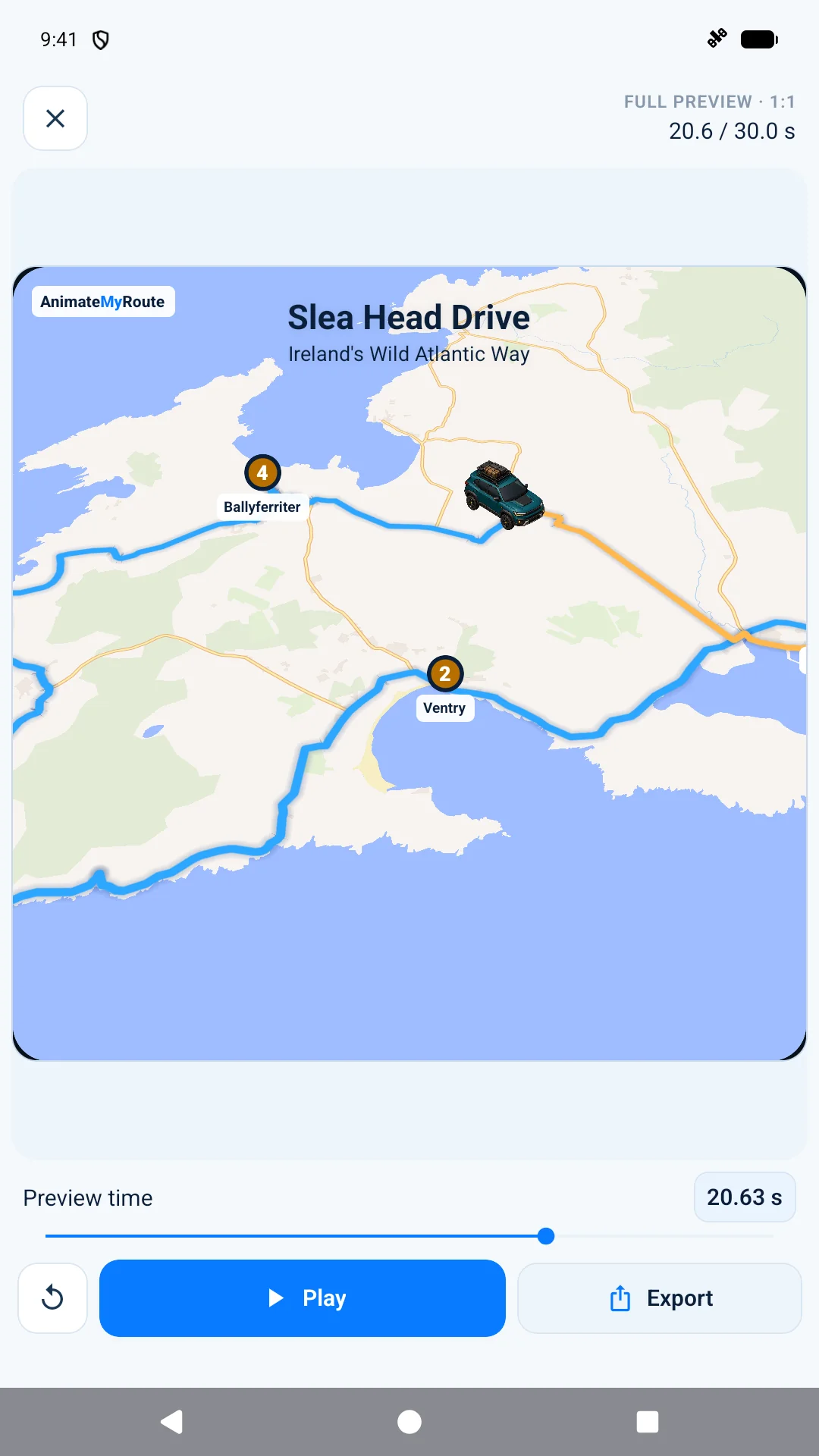
A complete route studio
Bring route planning, real-world journey recording, flexible editing and video direction together in one focused Android workspace.
Four ways to begin
Paste a Google Maps link, open a GPX file, build a route by hand or record the real journey with GPS.
Animation studio
Shape the timing, speed, pauses and camera movement while a live preview responds to every change.
A traveller for every story
Pick from cars, motorbikes, bicycles, buses, trains, planes, boats and walkers. Plus members can also create one from a photo.
Creative direction
Start with the core studio, then use Plus to unlock premium maps, intros, titles, route styling and 3D terrain.
Built for your edit
Create portrait, landscape or square video and choose the quality and smoothness your Android device supports.
Projects that stay yours
Keep a visual project library, favourite important journeys and make portable backups wherever you choose.
Record the road
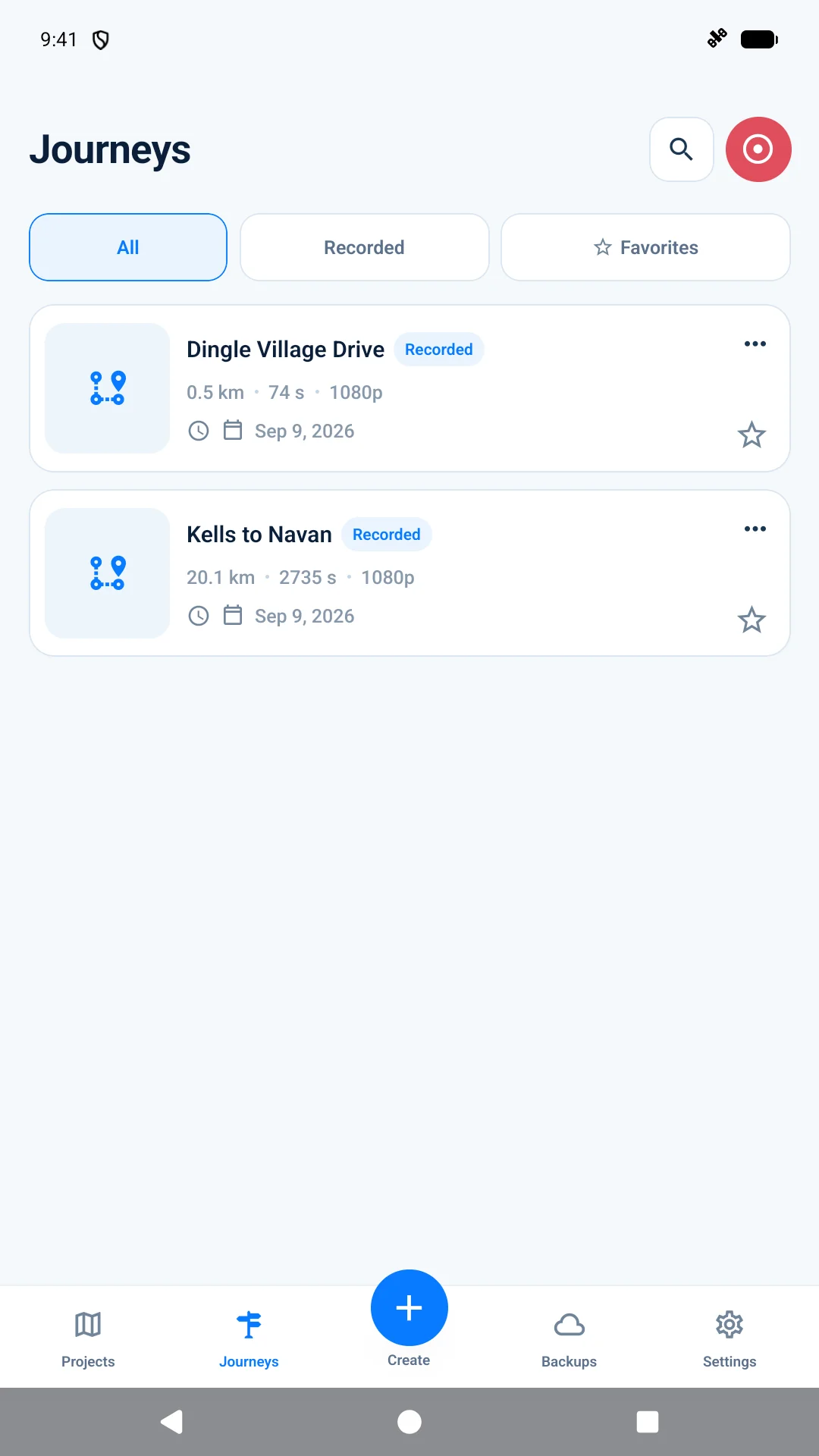
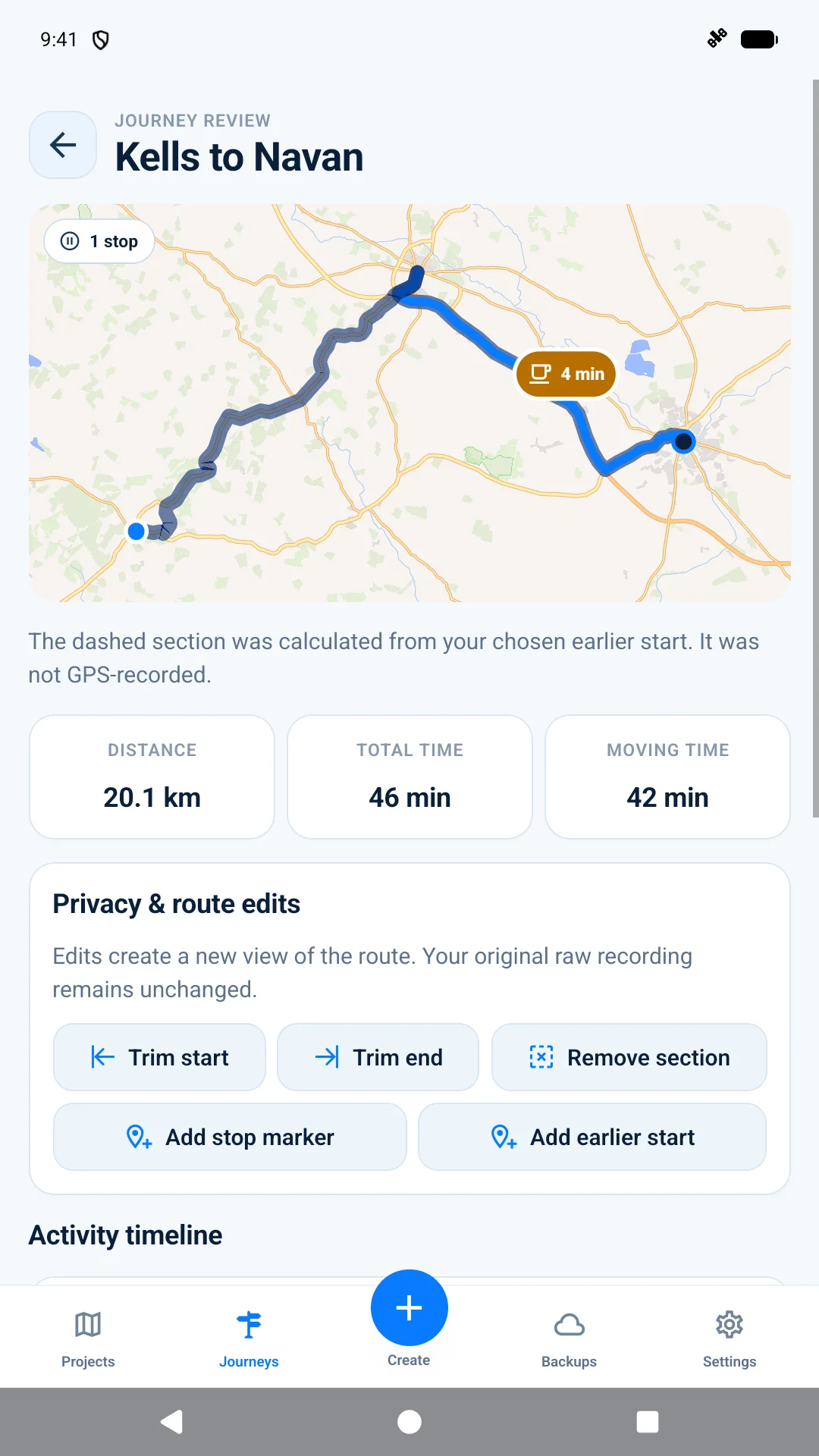
Start a journey and let AnimateMyRoute capture the path in the background. Back home, review the map, moving time, distance and stops before turning it into an animation.
Direct the animation
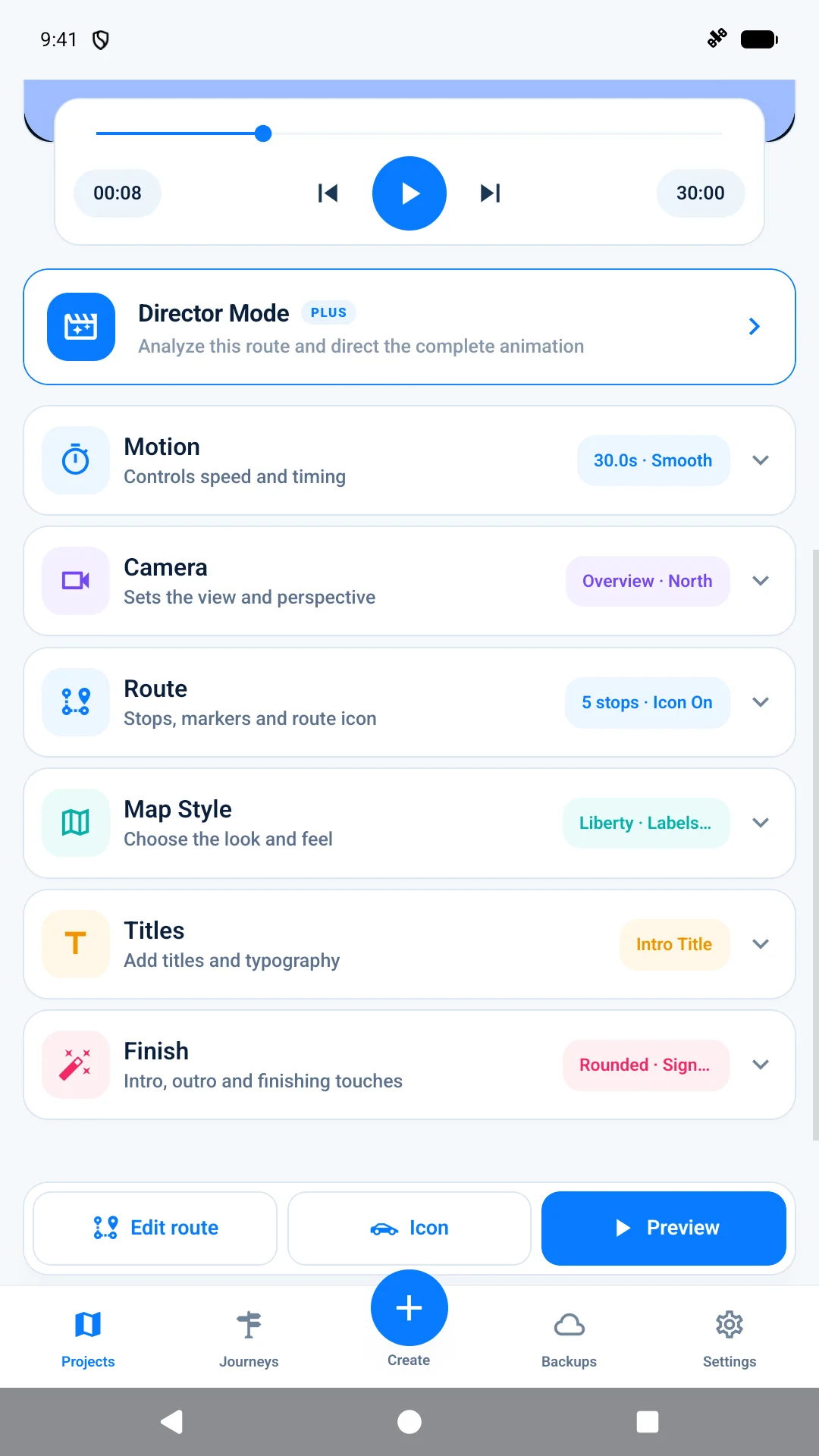
See every change in a live preview. Set a constant or custom pace, choose how the camera follows, tune the map and decide exactly what appears on screen.
Inside the app
Follow the complete creative flow, from importing or recording a journey to styling, previewing and exporting the finished video.
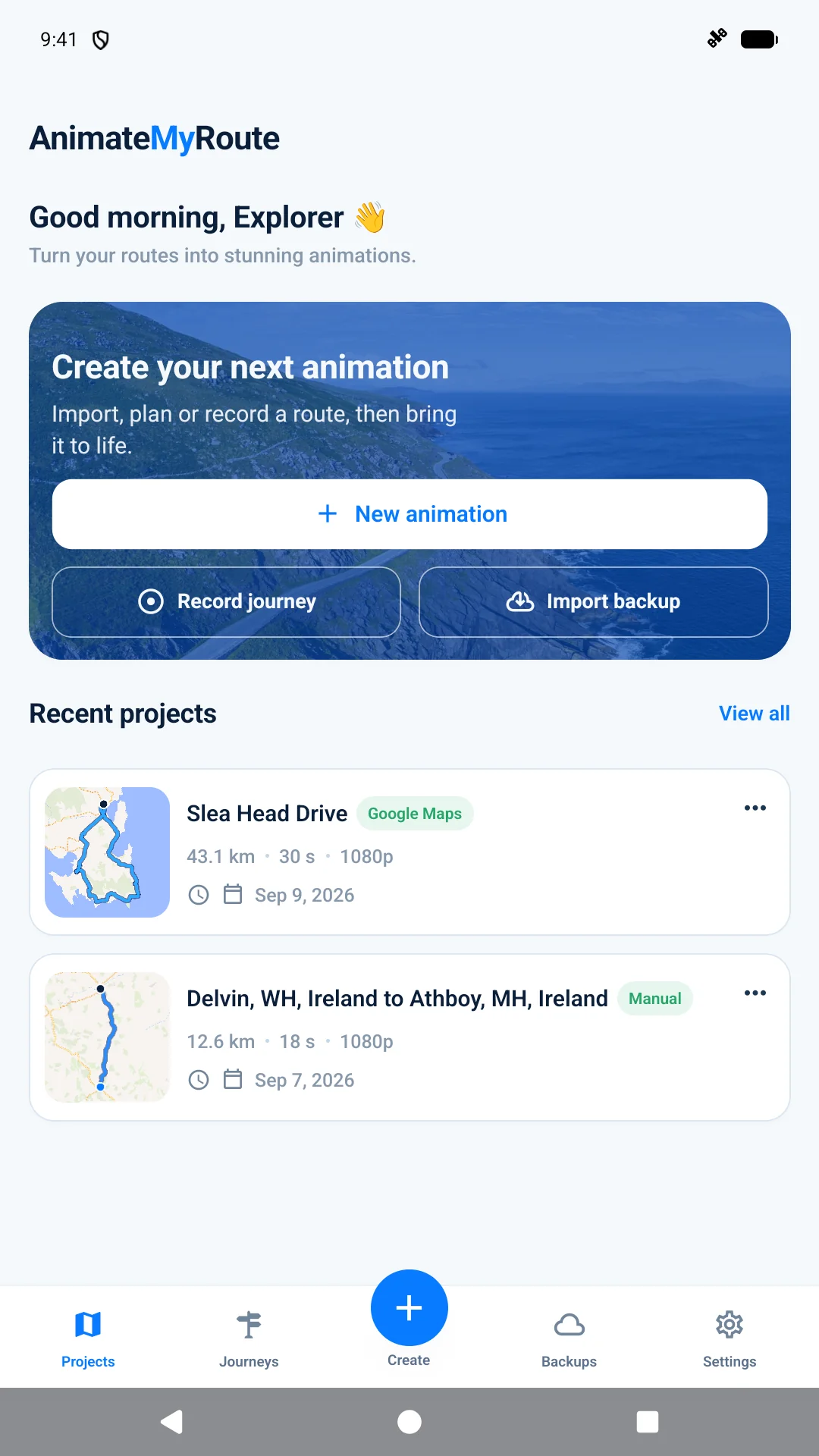
See recent projects and jump straight into a new route, recording or backup.
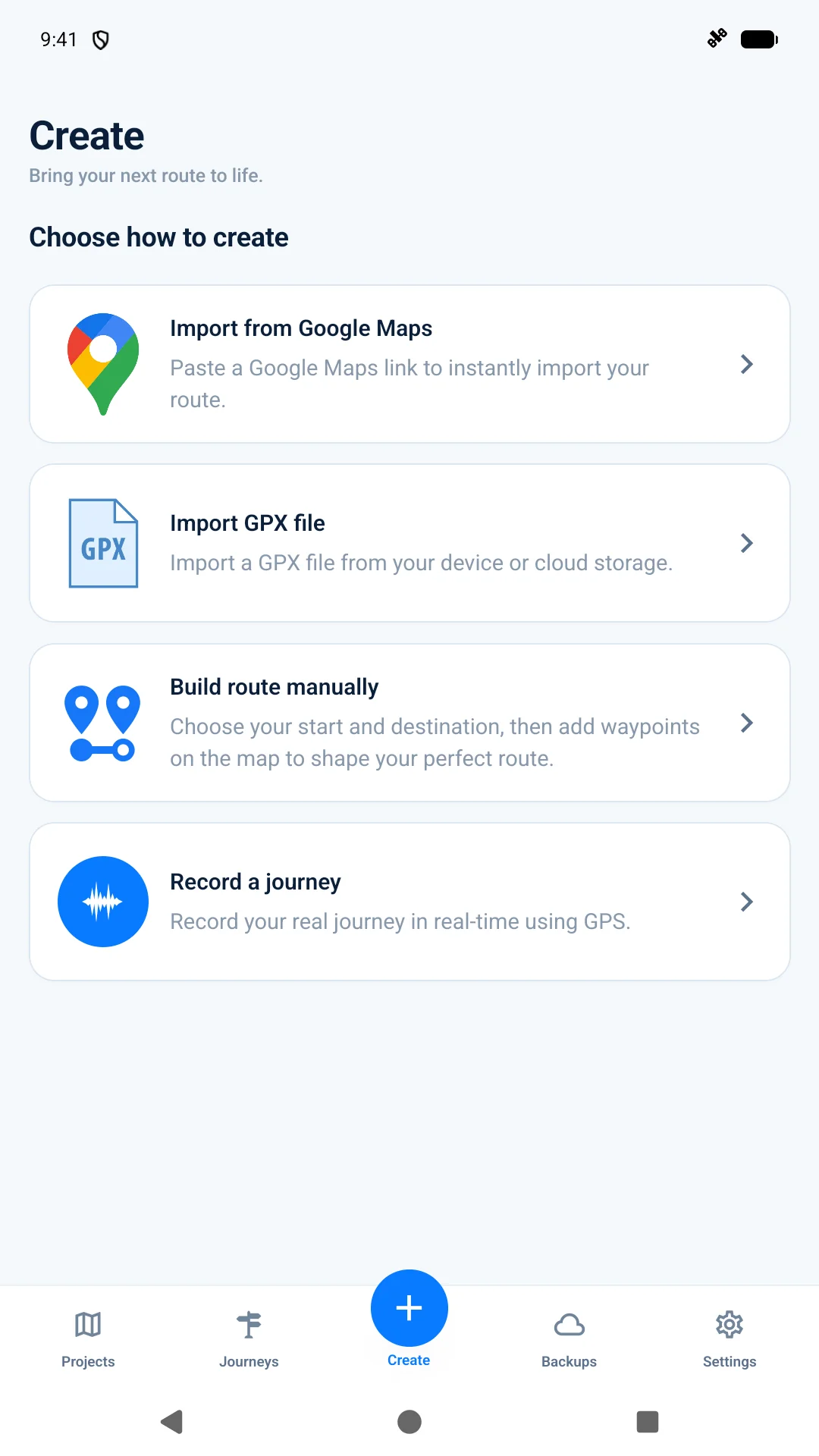
Google Maps, GPX, manual planning or a journey recorded as you travel.
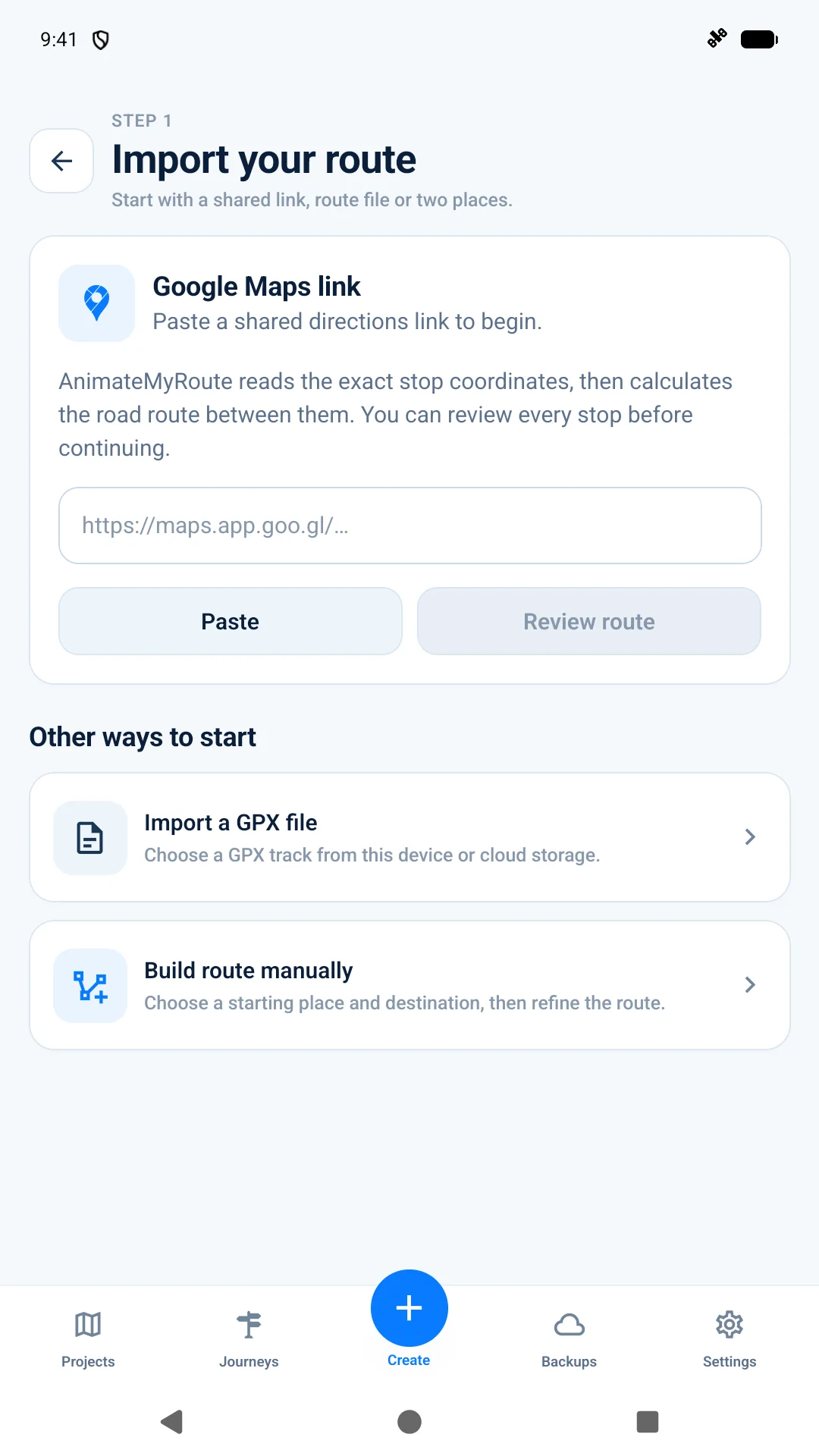
Paste a shared directions link to start with the stops you already planned.
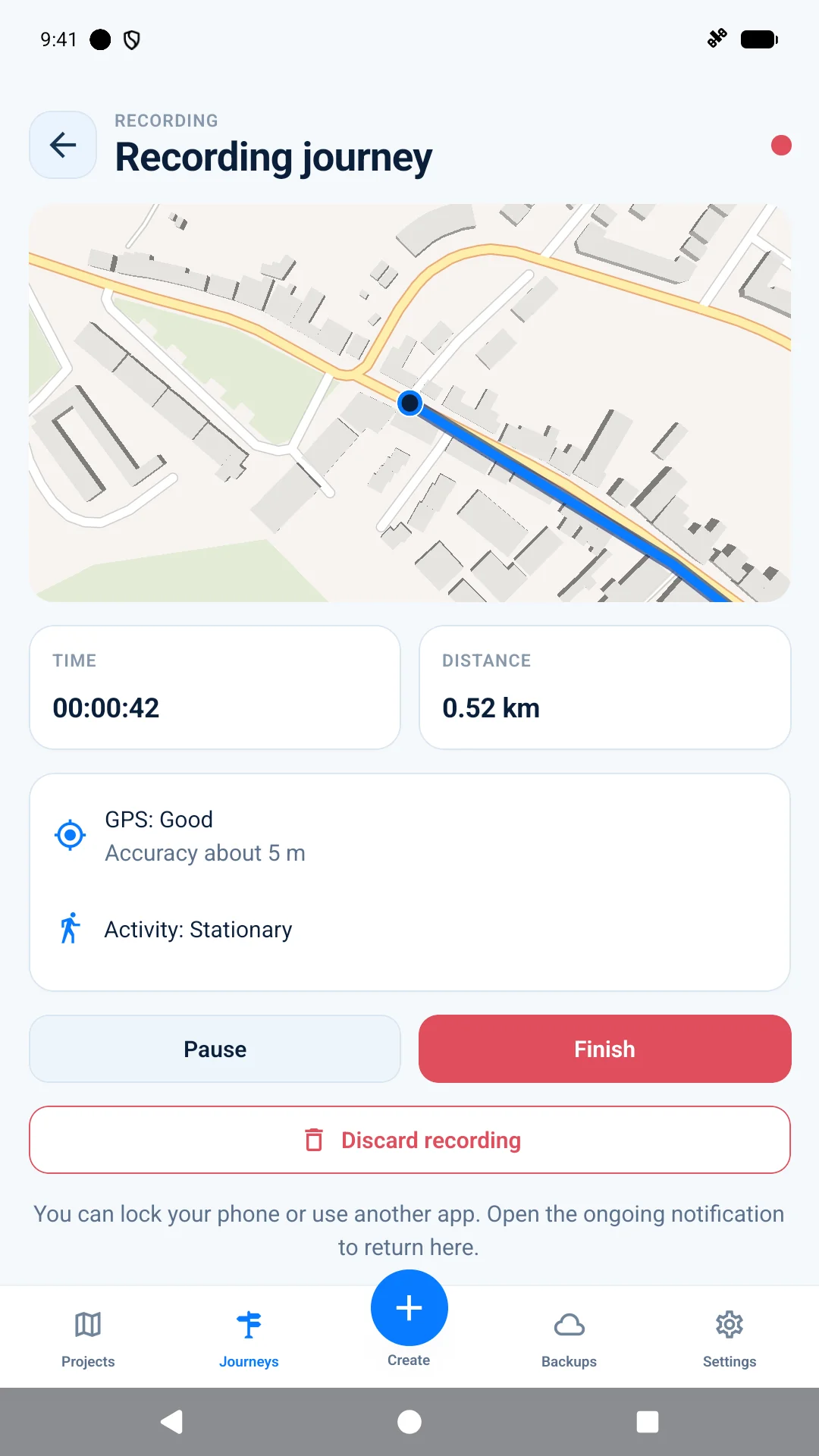
Follow elapsed time, distance and GPS status while recording a journey.
Browse saved recordings and choose the next journey to turn into a video.
See the route, distance, moving time, pauses and non-destructive edits.
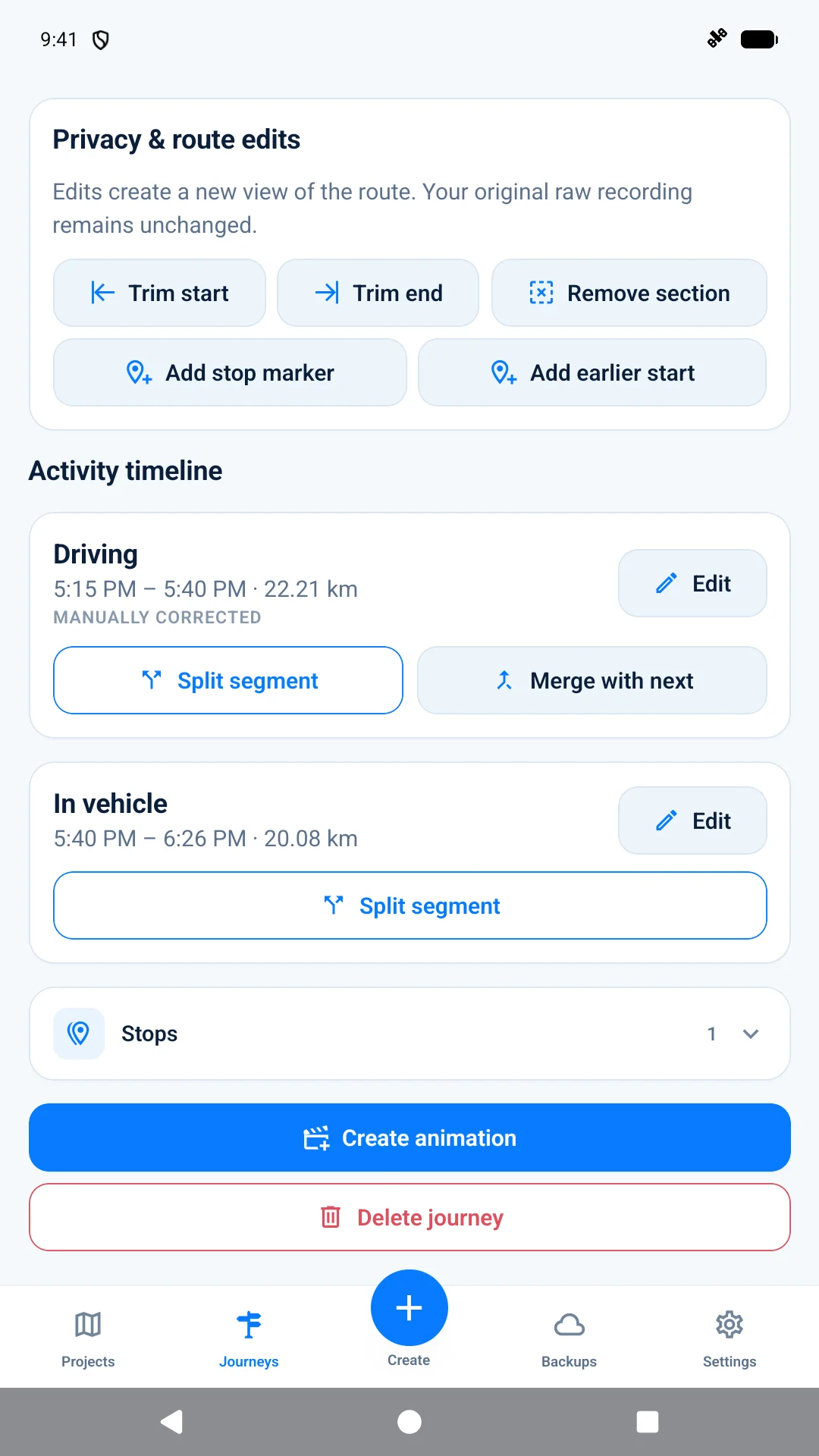
Review activity segments and refine the journey before creating an animation.
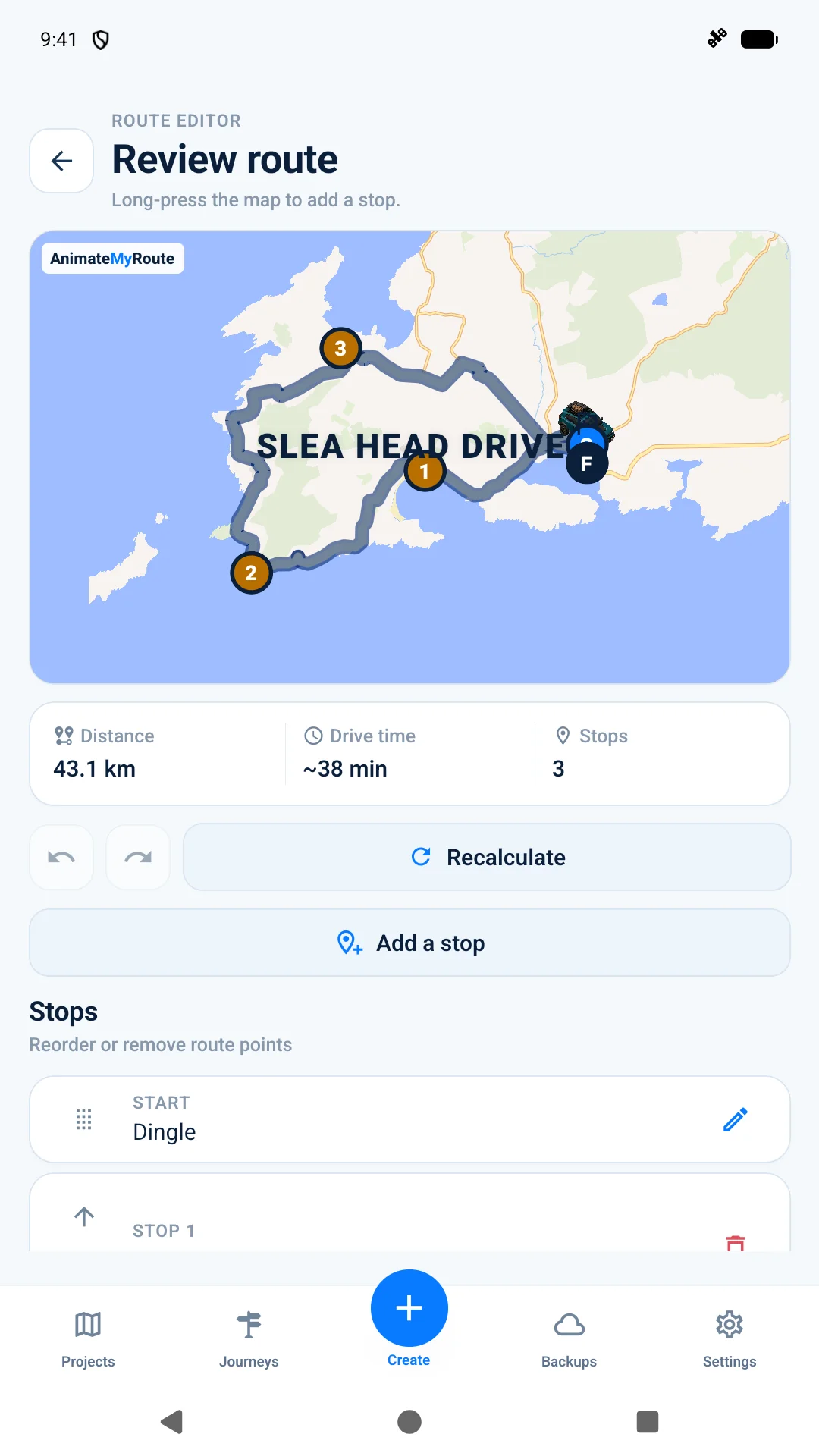
Add, reorder or edit route points and recalculate whenever the plan changes.
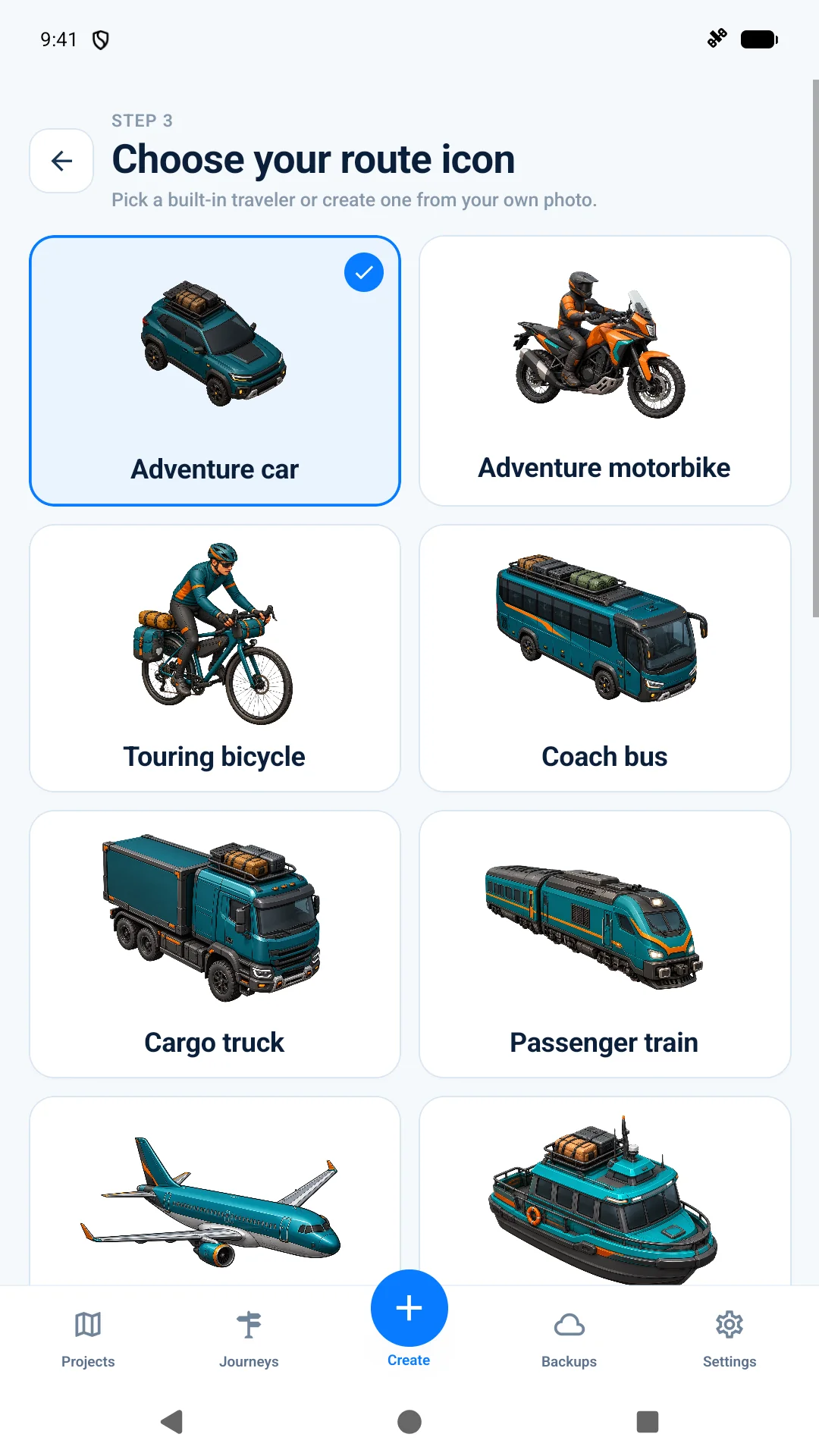
Cars, bikes, buses, trucks, trains, boats, planes and animated walkers.
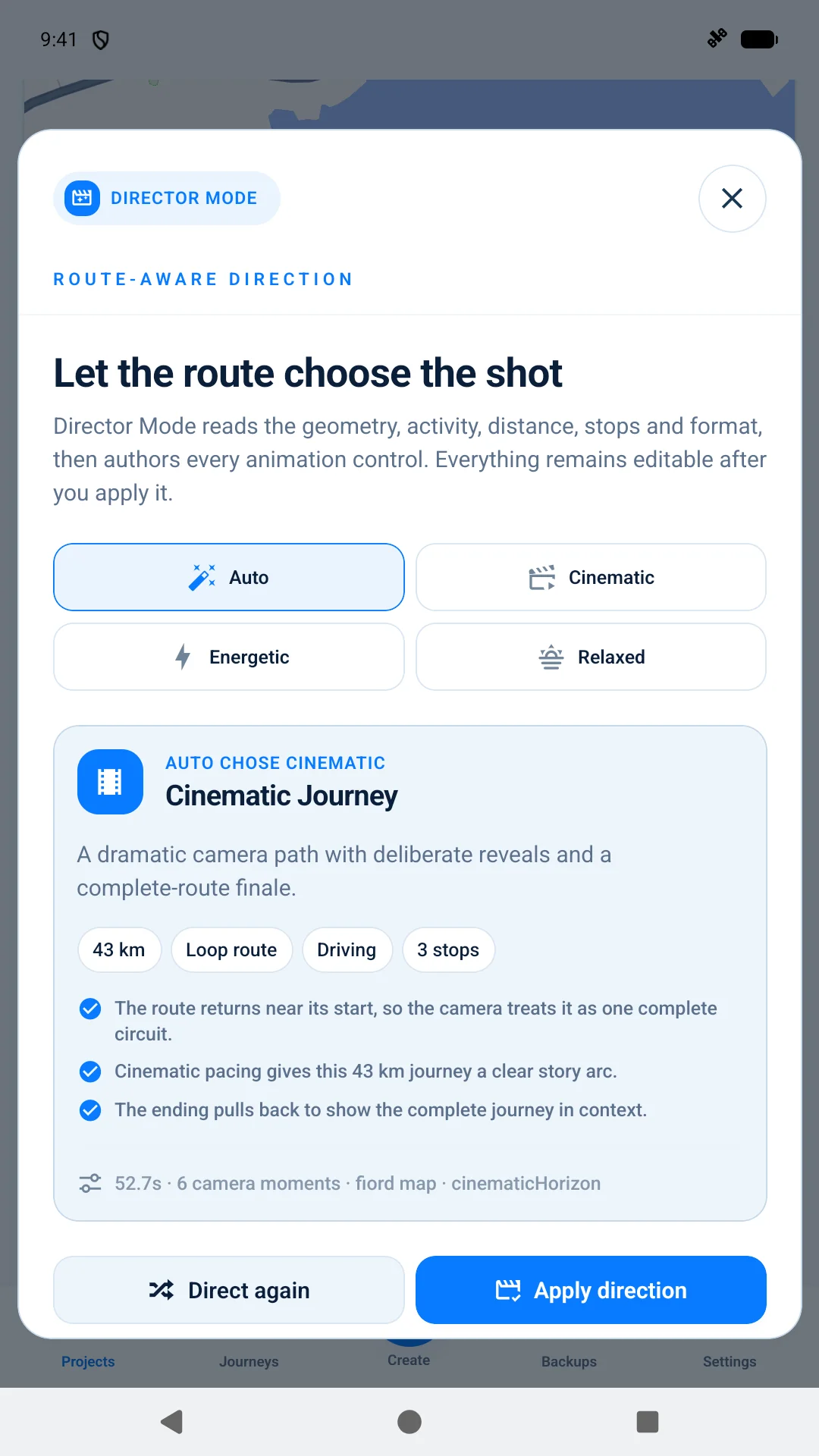
Choose a Director Mode preset to set the feel of your route animation.
Bring motion, camera, route, map and title controls into one live workspace.
Preview the full sequence and scrub to the exact moment you want to inspect.
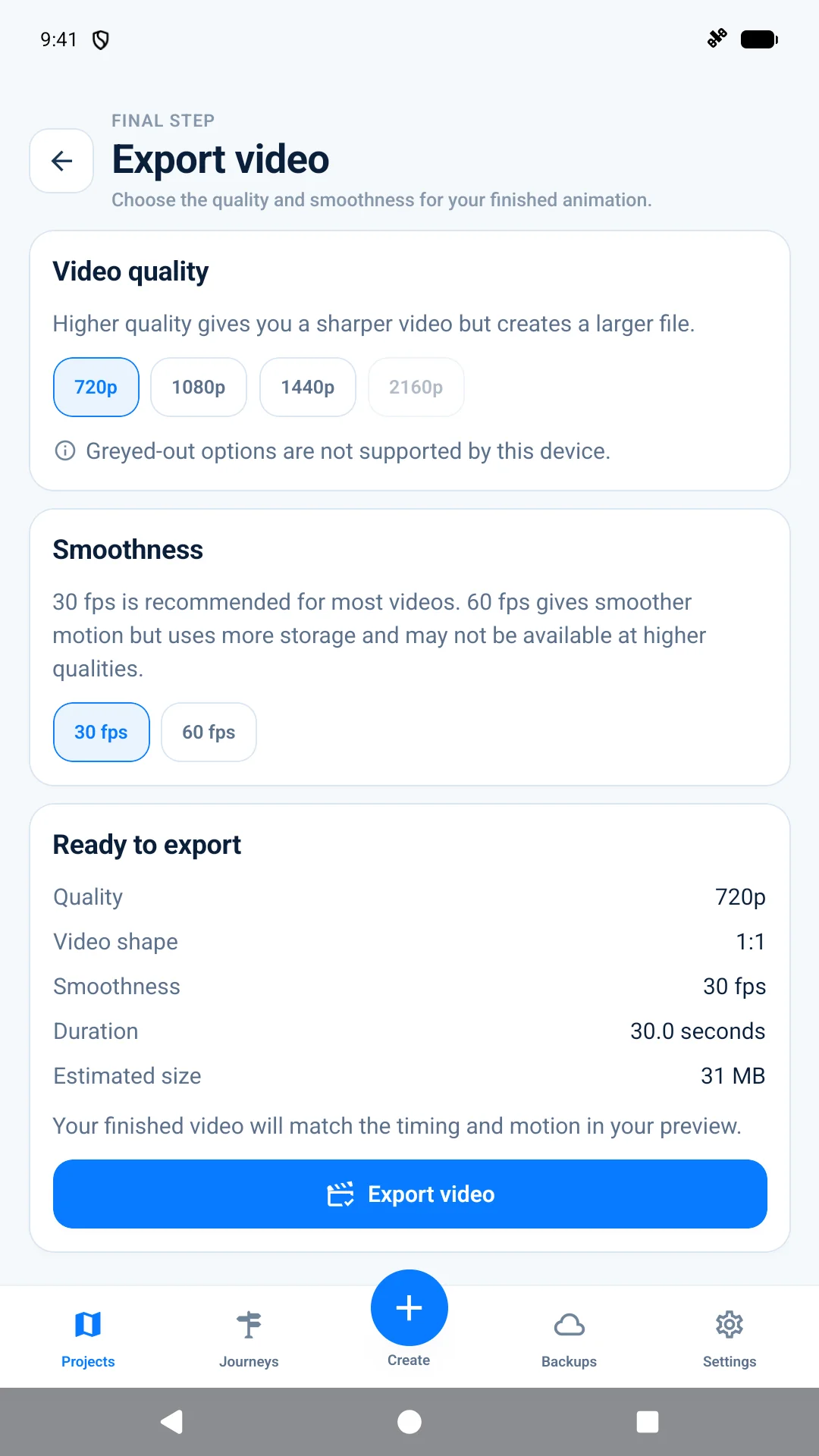
Choose video shape, resolution and frame rate based on your device.
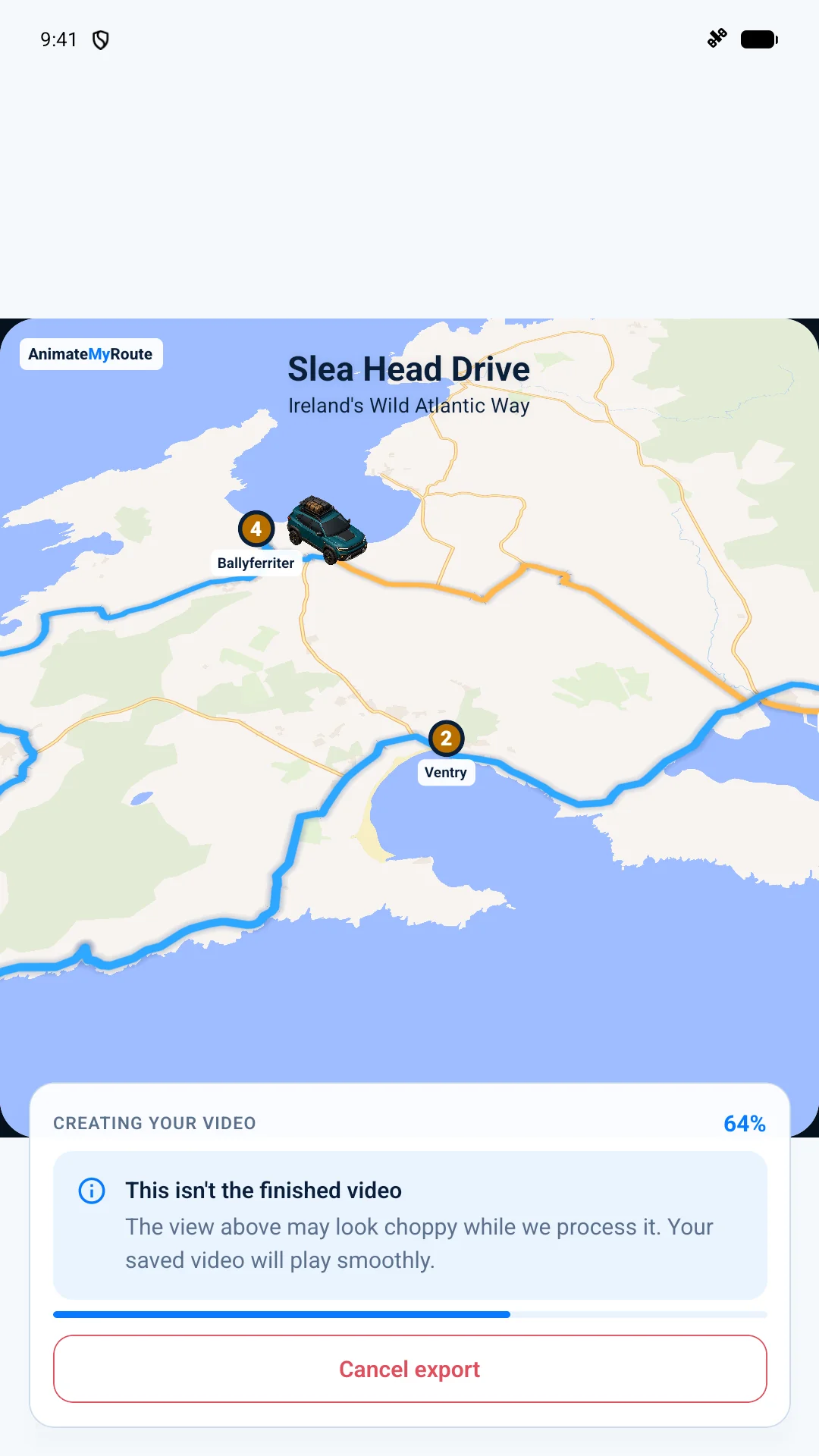
Follow live frame, file-size and progress updates while the video renders on your device.
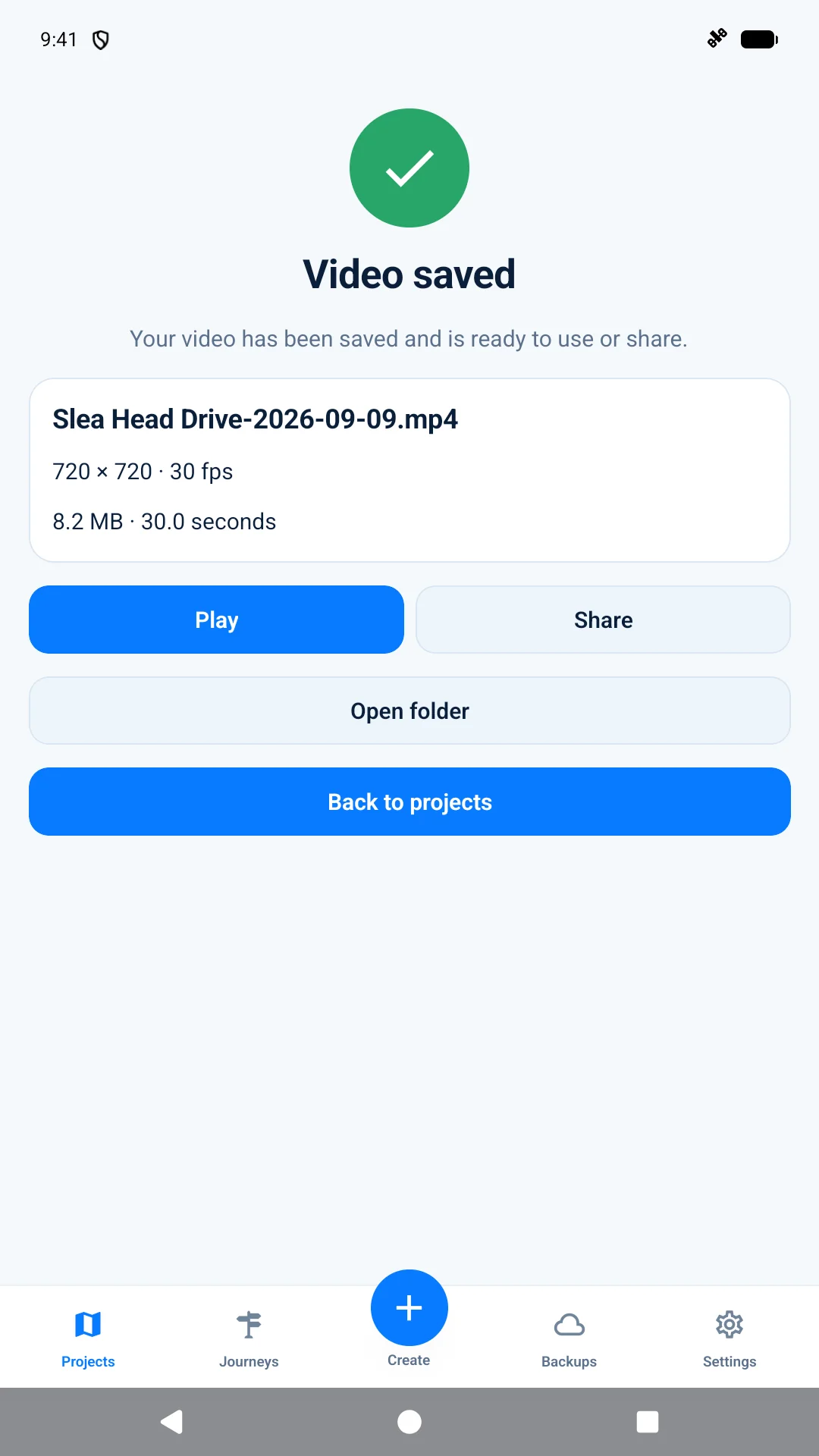
Save the finished MP4, play it back or share it with your favourite editing app.
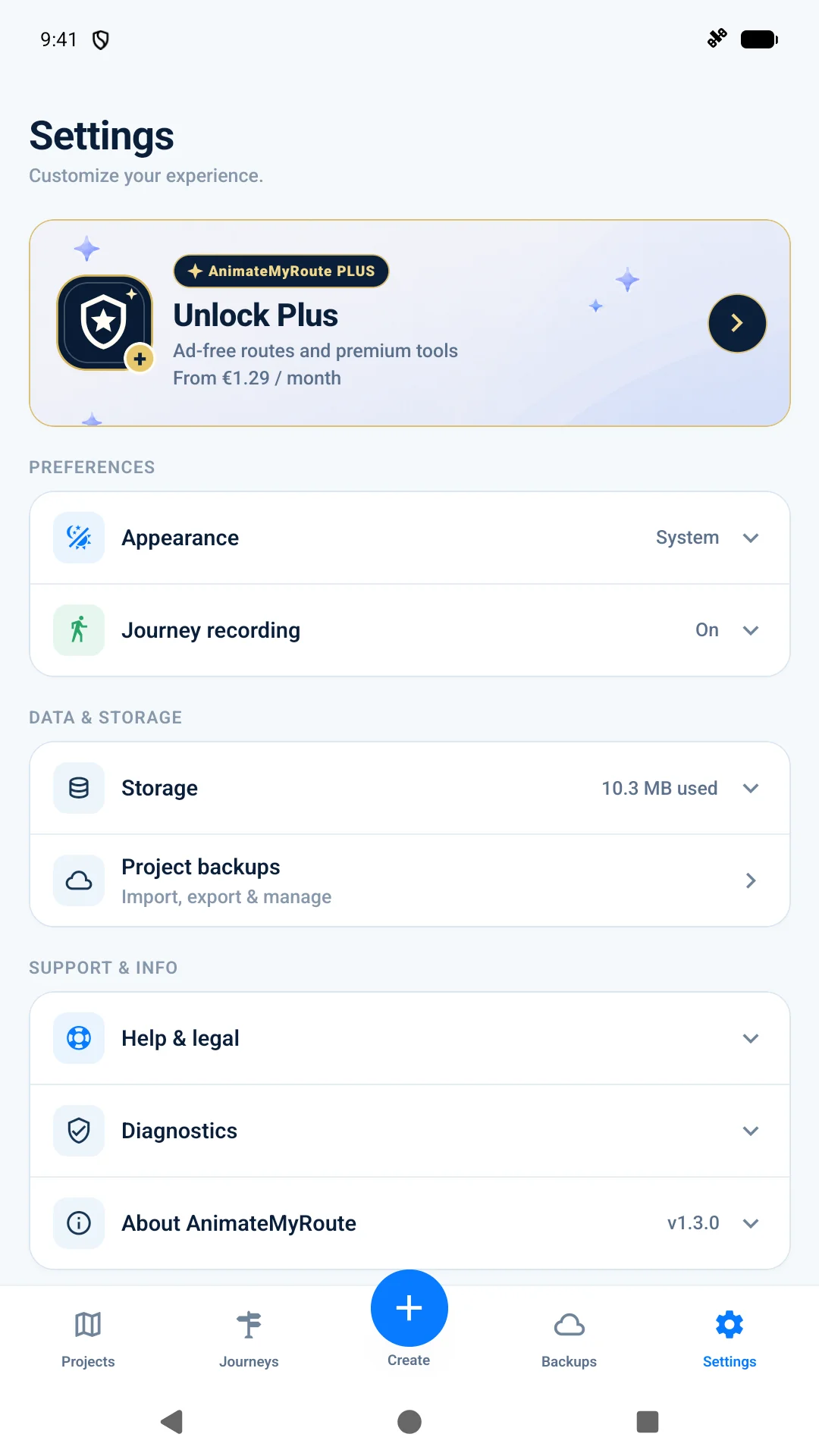
Find preferences, project storage, support and your Plus membership in one place.
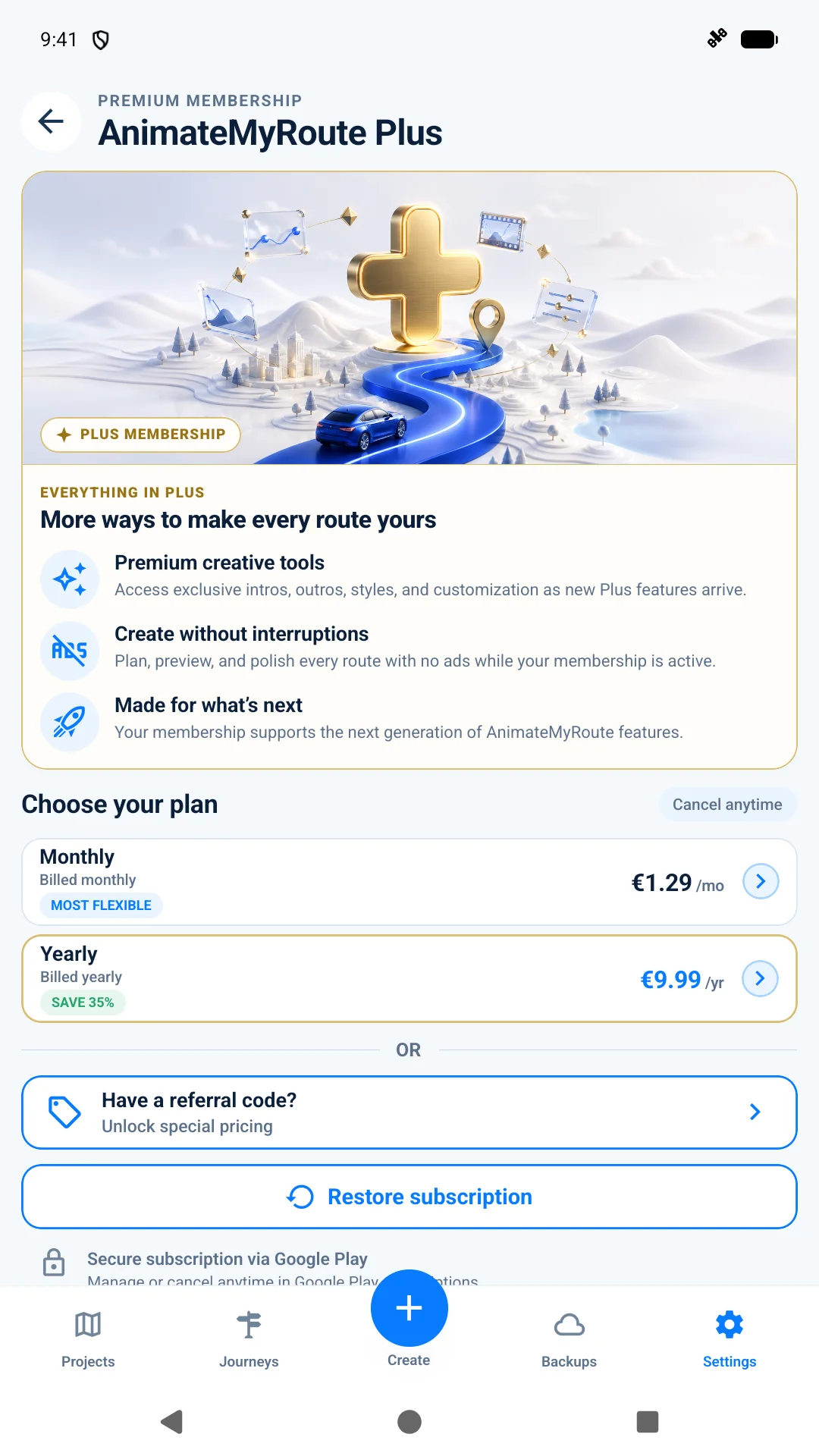
Get premium creative tools and an ad-free experience with monthly or yearly billing.
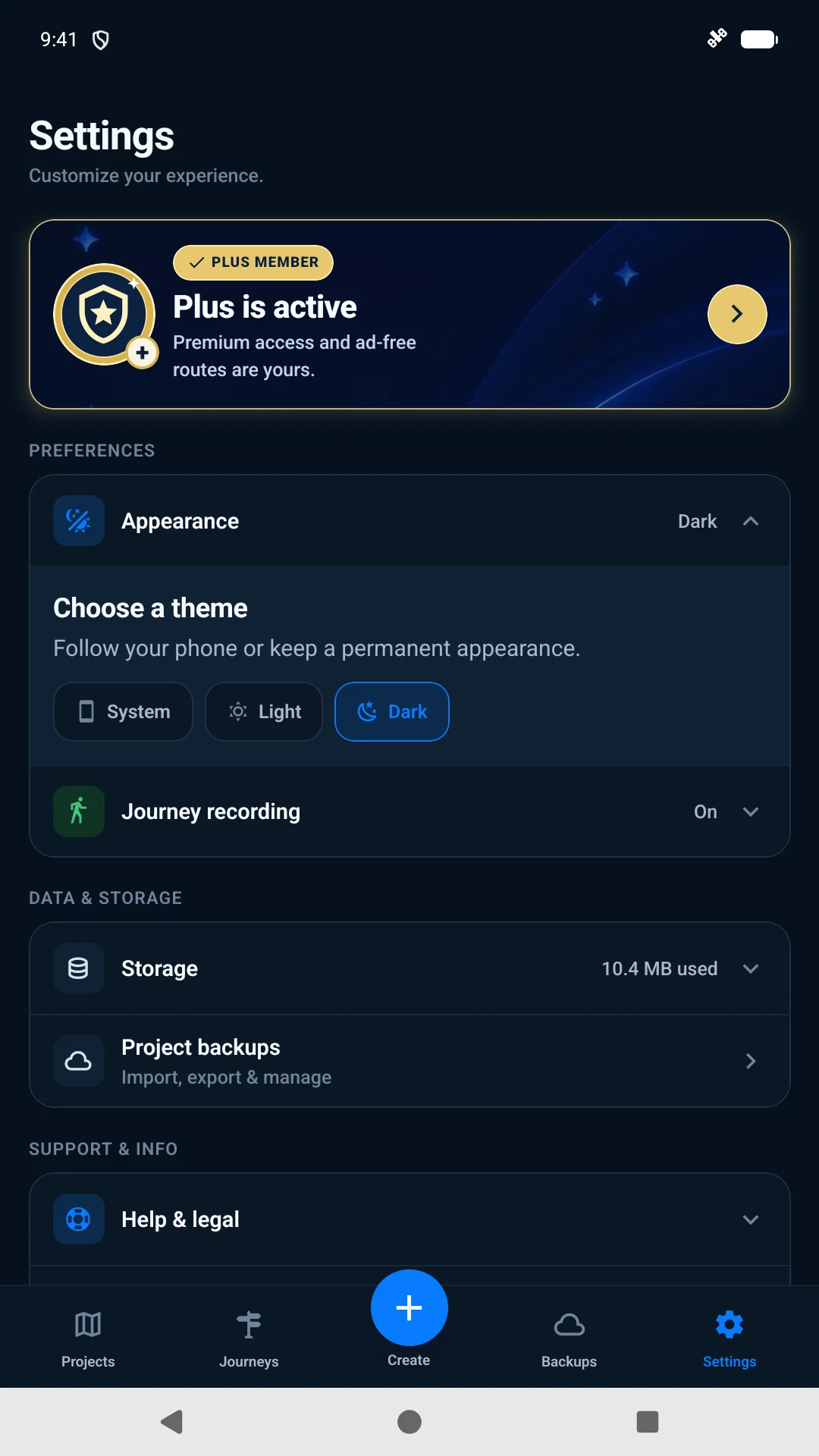
Follow your phone or keep AnimateMyRoute permanently light or dark.
AnimateMyRoute Plus
Start creating for free, then unlock the full studio with Plus. Explore premium motion, styling and personalisation while enjoying AnimateMyRoute without ads.
Monthly Plus
Flexible billing
See in appcurrent price
Yearly Plus
Longer-term billing
See in appcurrent price
Prices shown are for illustration only and may change. Google Play displays the current price, billing period and offer terms for your country before purchase.
Get it onGoogle PlayPrivate by design
There is no account to create. Projects live on your device, photo cutouts are processed there, and backups go only where you choose to save them.
A focused workflow
Import it, draw it with stops or record the real route as you travel.
Reorder stops, trim recordings, mark pauses and keep the original journey intact.
Choose the traveller, pace, camera, map, line, markers and titles.
Watch the sequence, choose its shape and quality, then save it to your phone.
For route storytellers
Whether the story begins with an itinerary or the road beneath you, AnimateMyRoute gives the map enough character to become part of the film.
Give viewers a clear sense of place before the next chapter of your travel film.
Record the road as it happens, then turn the real journey into a polished visual recap.
Show the shape of the ride and bring a motorbike - including your own - along the route.
Use animated travellers that move with the route and pause naturally at your stops.
Questions, answered
Need help with a route, recording, subscription or export? The support page has simple steps to get you moving again.
Visit supportYou can paste a shared Google Maps route, choose a GPX file, build a route from places or record a real journey with GPS. Google Maps imports are rebuilt from their stops, so the roads may look slightly different.
Only when you explicitly start journey recording and grant location permission. Imported and manually planned routes do not need your live location.
Yes, with AnimateMyRoute Plus. Choose a photo and the app will remove its background on your device. You can tidy the result with simple brush tools, and AnimateMyRoute does not upload the photo.
The free app includes route importing, planning, journey recording, editing, preview, export, built-in travellers and a curated animation style. Exports may include an ad before rendering. AnimateMyRoute Plus removes ads and unlocks the full premium creative toolkit.
Monthly and yearly Plus plans are available. Google Play shows the current local price, billing period and offer terms before purchase, and you can manage or cancel there anytime.
AnimateMyRoute saves a video without sound in portrait, landscape or square format. Resolution and frame-rate choices are tailored to what your Android device can handle.
No. You can use AnimateMyRoute without signing up, and your projects stay on your device.
AnimateMyRoute is available for Android on Google Play. Use any Google Play button on this site to download it.
Download AnimateMyRoute and give the route its moment on screen.
Get it onGoogle Play